A unified LLM gateway API gives all your model deployments a single interface so client applications can reach all your models with the same endpoint. Furthermore, it also provides extra production features such as access control, budgeting, monitoring and tracing.
1. Pre-requisites
- Set up an LLM pool with at least 1 node
Unified OpenAI-like API
Model templates deployed in LLM pools have an optional key parameter to register themselves with a LiteLLM instance. LiteLLM is a powerful API that unifies all of your models into a single API, making developing apps with LLMs easier and more flexible.
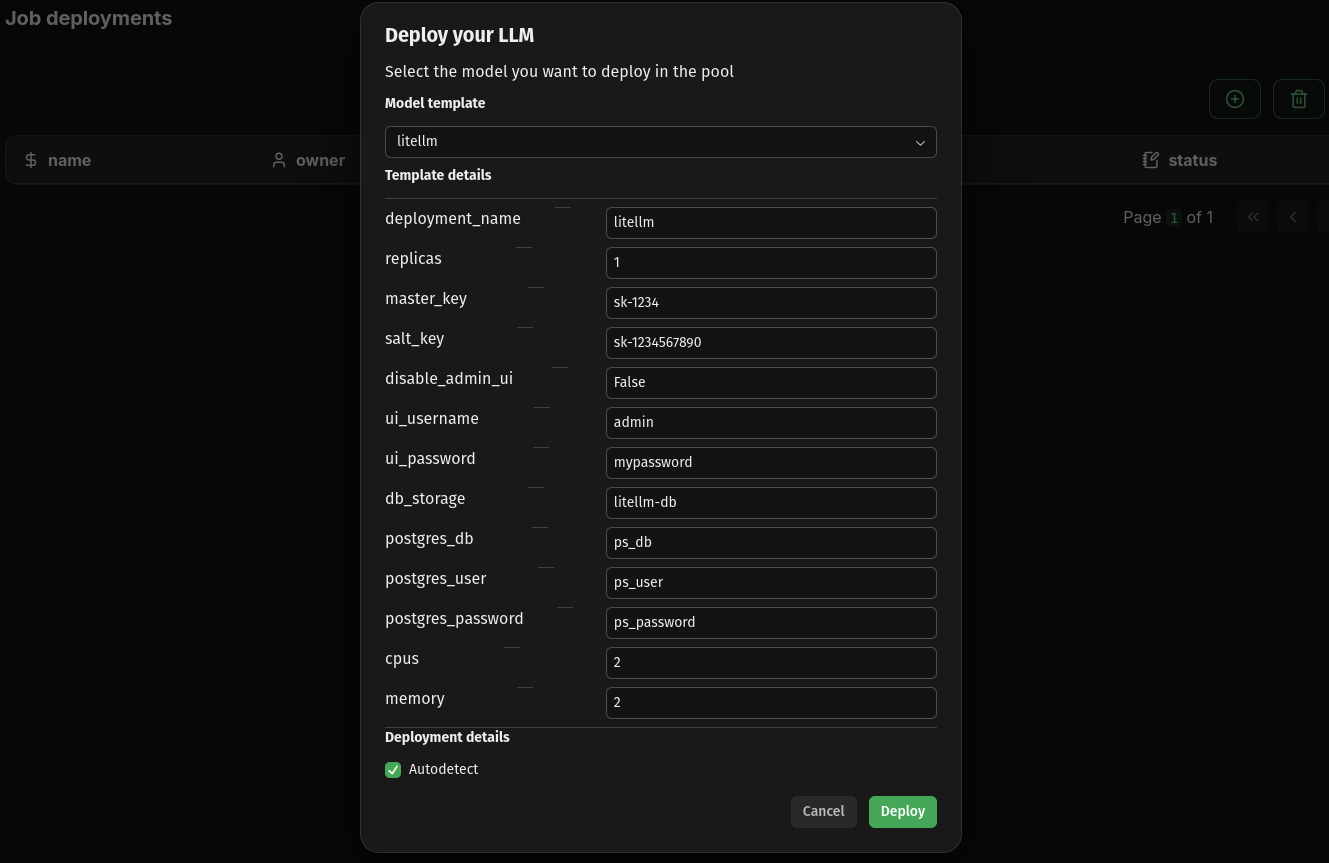
Our LiteLLM template automates the deployment of the API across a pool, database included. To deploy it using the Kalavai GUI, navigate to Jobs, then click on the circle-plus button, in which you can select a litellm template.
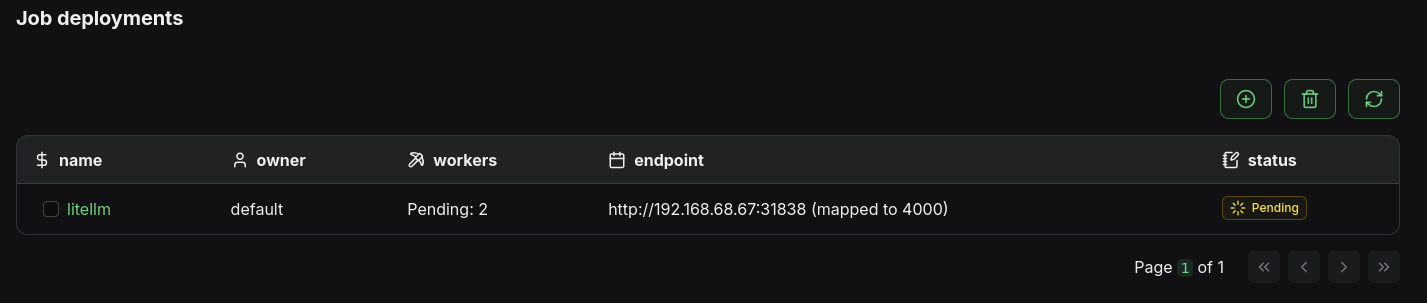
Once the deployment is complete, you can check the LiteLLM endpoint by navigating to Jobs and seeing the corresponding endpoint for the litellm job.
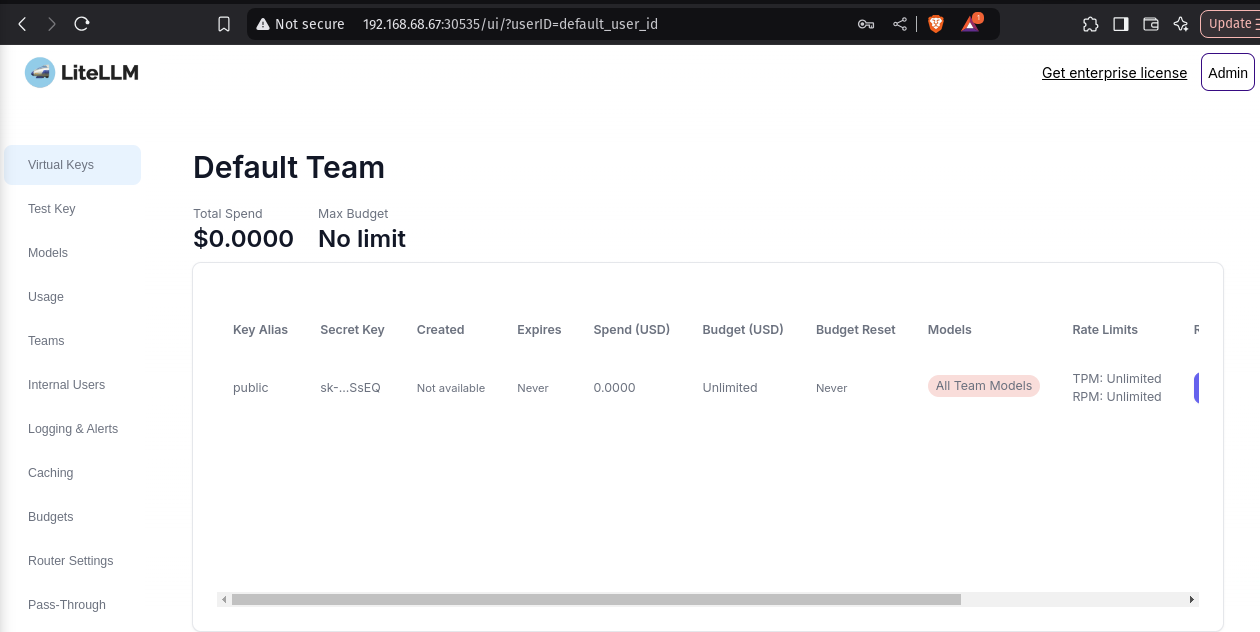
You will need a virtual key to register models with LiteLLM. For testing you can use the master key defined in your values.yaml under master_key, but it is recommended to generate a virtual one that does not have privilege access. The easiest way of doing so is via the admin UI, under http://192.168.68.67:30535/ui (see more details here).
Example virtual key: sk-rDCm0Vd5hDOigaNbQSSsEQ
3. Deploy models with compatible frameworks
In this section, we'll look into how to deploy a model with another of our supported model engines: llama.cpp. You can use the kalavai CLI to deploy jobs (via kalavai job deploy) but here we'll use the much simpler GUI route.
You can deploy a model by navigating to the Jobs page and clicking the circle-plus button. Select llamacpp as model template. See more details here. Make sure you populate the litellm_key template parameter with your generated API KEY (in this case sk-qoQC5lijoaBwXoyi_YP1xA) This is key to make sure models are self registering to LiteLLM gateway.
4. Access your models
Once they are donwloaded and loaded into memory, your models will be readily available via the LiteLLM API.
Single API endpoint
All interactions to models in the pool are brokered by a LiteLLM endpoint that is installed in the system. To interact with it you need the following:
- The
LITELLM_URLis the endpoint displayed in theJobspage for thelitellmjob. - The
LITELLM_KEYis the one you have generated above. - The
MODEL_NAMEyou want to use (the job name displayed in theJobspage)
In this example:
LITELLM_URL=http://192.168.68.67:30535LITELLM_KEY=sk-qoQC5lijoaBwXoyi_YP1xAMODEL_NAME=qwen3_qwen3_4b_gguf_qwen3_4b_q4_k_m_gguf
Check available LLMs
Using cURL:
curl -X GET "<LITELLM_URL>/v1/models" \
  -H 'Authorization: Bearer <LITELLM_KEY>' \
  -H "accept: application/json" \
  -H "Content-Type: application/json"
Using python:
import requests

LITELLM_URL = "http://192.168.68.67:30535"
LITELLM_KEY = "sk-qoQC5lijoaBwXoyi_YP1xA"


def list_models():
    response = requests.get(
        f"{LITELLM_URL}/v1/models",
        headers={"Authorization": f"Bearer {LITELLM_KEY}"}
    )
    return response.json()


if __name__ == "__main__":
    print(
        list_models()
    )
Use models
See inference section for code snippets.
5. Clean up
To remove any model deployment, navigate to the Jobs page, select the job (checkbox next to its name) and click the bin icon on top of the table. This will remove the deployment from any worker involved and free its resources.