| WIP |
|---|
| This page is currently under development |
Managed experience for JupyterHub with multi-GPU support. The best way to have interactive sessions with multi-GPU, distributed environments.
What is JupyterHub?
JupyterHub is a multi-user server for Jupyter notebooks. It allows multiple users to access Jupyter notebooks in a shared environment. It's great for AI development and an easy way to interact with GPU-based machines without the complexity of SSH connections.
Why JupyterHub in Kalavai
Kalavai offers a managed way to deploy JupyterHub instances in your resources (if using our open source platform) or in our cloud. The biggest advantage is that with Kalavai, JupyterHub comes with multi-GPU support out of the box. You can easily access multiple GPUs from within your Jupyter notebooks or terminal via access so your own autoscalable Ray cluster.
Features:
- Multi-GPU support
- Auto-scaling so you only engage GPUs when needed
- Customisable and version controlled: set your own base images and let developers loose with their experiments; broken dependencies? Just redeploy and start over
Deploy a JupyterHub
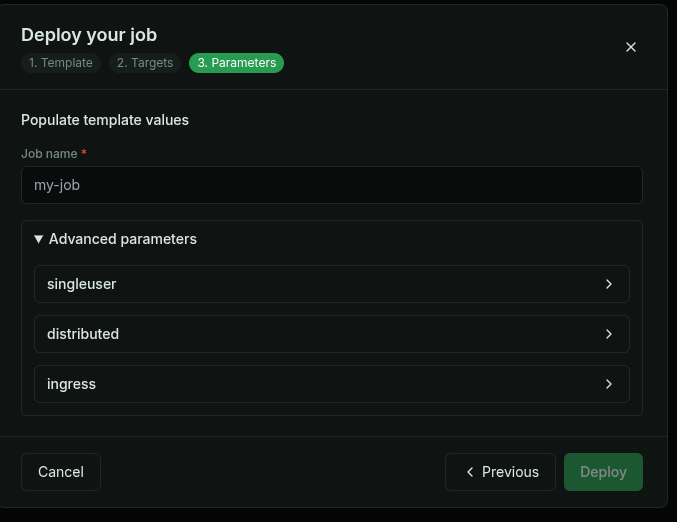
In your Kalavai Pool, go to Jobs and create a new job. Select JupyterHub as the template and configure the GPU resources you need.
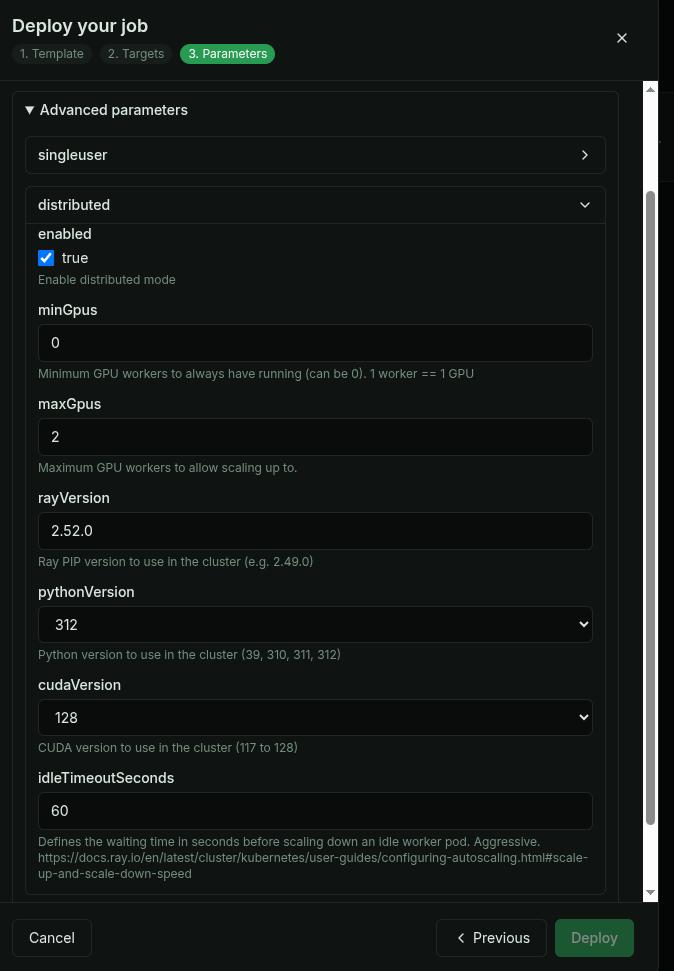
In the template parameters section of the deployment, you can configure the resources for the JupyterHub instance, under Advanced parameters.
Single vs multi-GPU
Two options: - Single instance JupyterHub with a local GPU - Multi-GPU JupyterHub with direct access to multi-GPU environment via Ray cluster.
Single GPU JupyterHub (default)
Best for quick prototyping, development of local features that require a GPU.
Multi-GPU JupyterHub
Best for heavy workloads, distributed training, and large-scale machine learning projects, where direct access to multiple GPUs is required.
Single JupyterHub instance with direct access to a Ray cluster for easy workload distribution.
Custom base images
You can customise the images JupyterHub uses. This is a great way to version control environments for multiple users with the safety net that you can always redeploy and start over if something goes wrong.
Specify image when deploying the Hub.
Build your own image requirements:
- Install jypyter
- Dockerfile example
FAQs
INstall specific version of python
Match Ray cluster version for ray and python:
conda create -n "myenv" python=3.12.9 pip install ray[client]==2.54.0